
| LandingLens | LandingLens on Snowflake |
|---|---|
- Each LandingLens project and model will be saved to an organization.
- Each email address associated with a LandingLens account will be tied to an organization.
- One email address can be associated with one or more organizations.
If your organization use Enterprise SSO, then all users within that organization must use this login type.
Create a New Organization
If your company already has an organization, creating a new one will automatically create a Free organization.
You can have multiple organizations in your instance of LandingLens. However, you can only have one Enterprise organization.
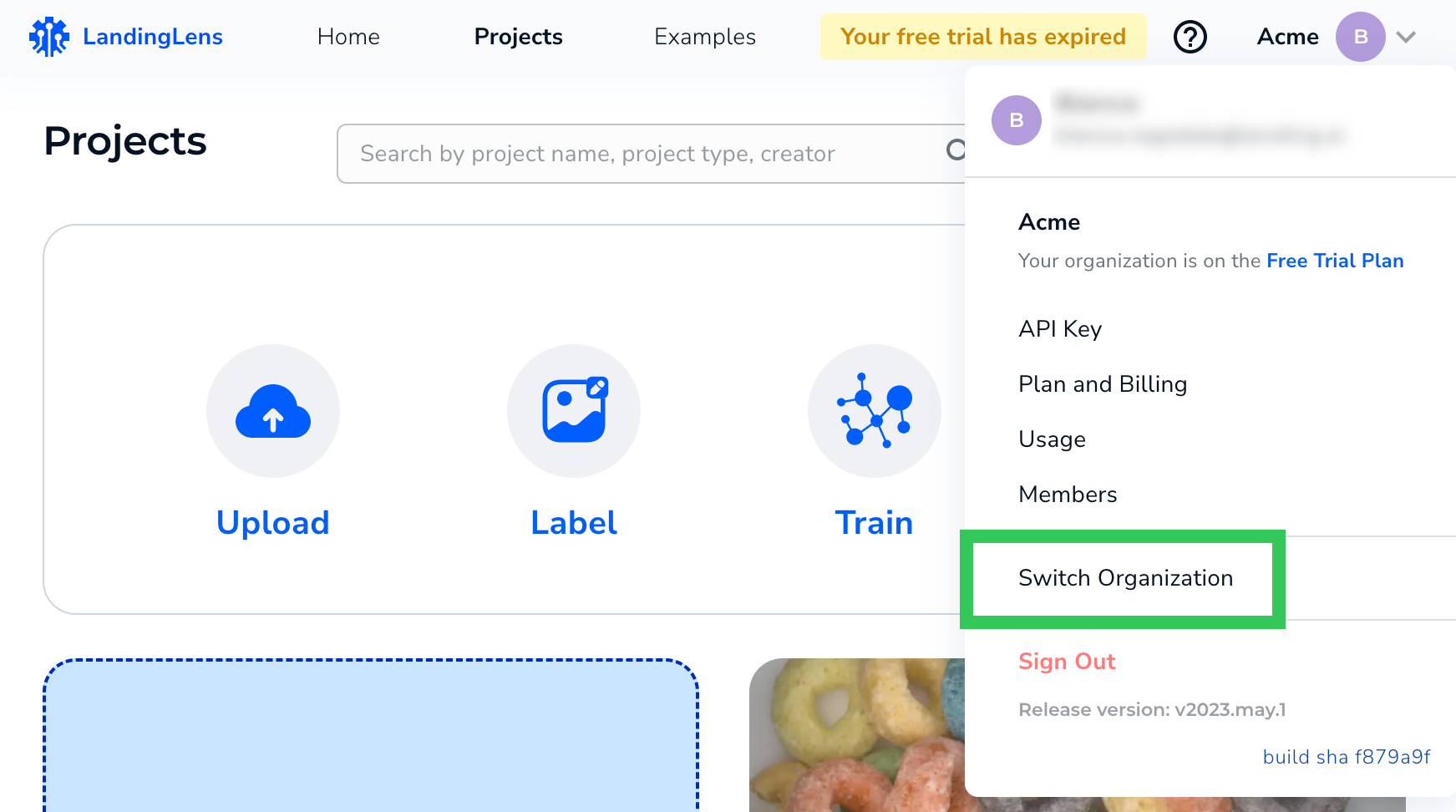
- Click the User Menu and select Switch Organization .
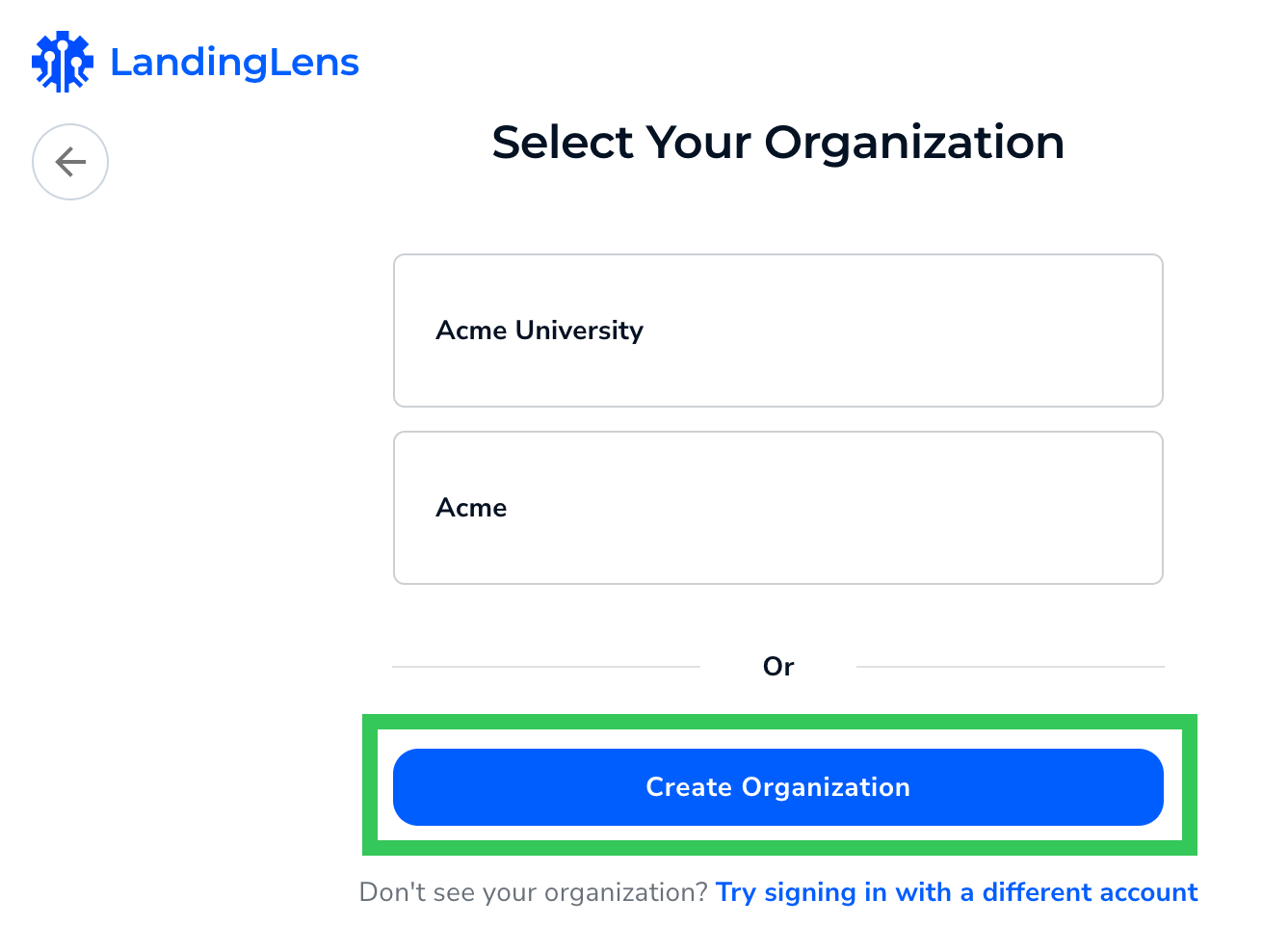
- Click Create Organization.
- Follow the on-screen instructions to finish creating the new organization.
Switch Organizations
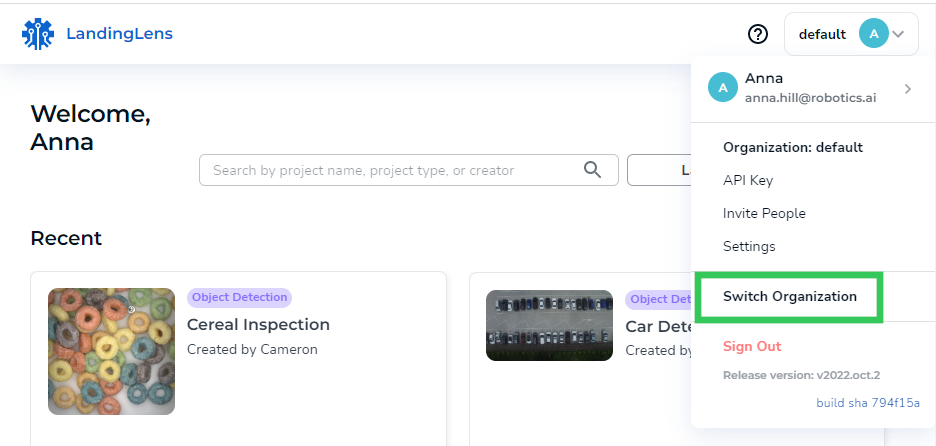
The organization you are logged in to displays in the upper-right corner of LandingLens.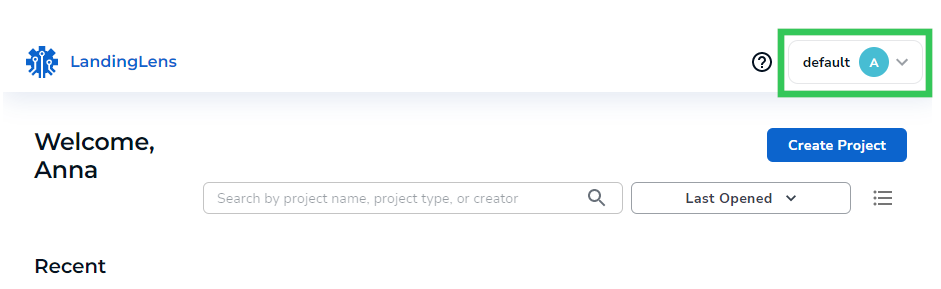
- Click the User Menu and select Switch Organization .
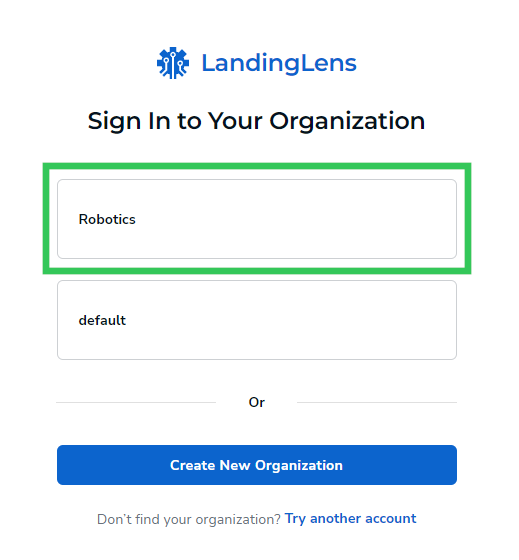
- Click the organization you want to switch to.
Join an Organization
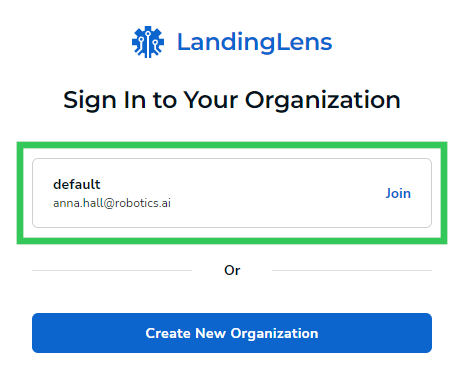
Users who are invited to LandingLens will receive an email with a link to join the platform. After the user creates their account, they will see the organization they are invited to. Users should click the Join button to accept their invitation to the platform.