
| LandingLens | LandingLens on Snowflake |
|---|---|
May 26, 2025: LandingLens on Snowflake v1_2.65
LandingLens on Snowflake v1_2.65 includes the following features:Anomaly Detection
We are excited to announce a new project type in LandingLens on Snowflake—Anomaly Detection! The Anomaly Detection project type is used to identify deviations from the norm, especially when you have few images of “abnormal” cases. These projects have two built-in classes: Normal and Abnormal, which you assign to images. Anomaly Detection models train on Normal images to learn their patterns. The model then flags any deviations as potential anomalies. To learn more, go to Anomaly Detection.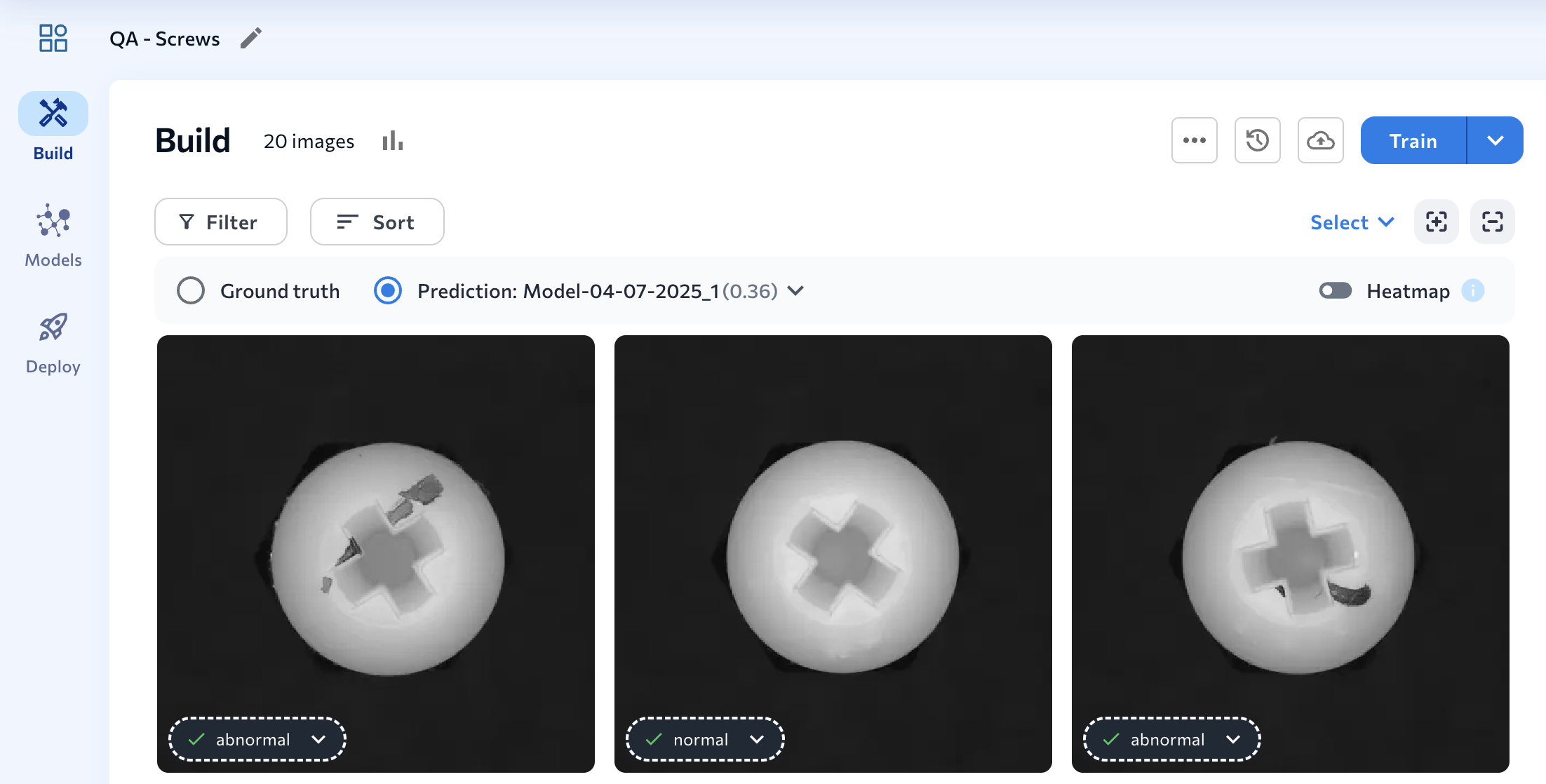
Embed-Optimized Models
LandingLens on Snowflake now supports building and deploying embed-optimized models, which are lightweight, efficient computer vision models designed to run directly on embedded devices. To create an embed-optimized model, choose one of the following model architectures when running Custom Training:- For Object Detection: ODEmbedded-[23M]
- For Classification: ConvNextEmbedded-[16M]
February 13, 2025: LandingLens on Snowflake v1_2.49
LandingLens on Snowflake v1_2.49 includes the following updates: Keep reading to learn more!Redesigned Confusion Matrix
The newest version of LandingLens features a redesigned confusion matrix! The new confusion matrix is a table that shows ground truth labels versus model predictions. This new table format empowers you to quickly see what classes the model is predicting correctly, and which ones it might have trouble identifying. Each cell shows the count of instances that correspond to particular ground truth class-predicted class pair. For example, in the image below, the model correctly predicted the class “Hard Hat” 32 times and misclassified it 2 times.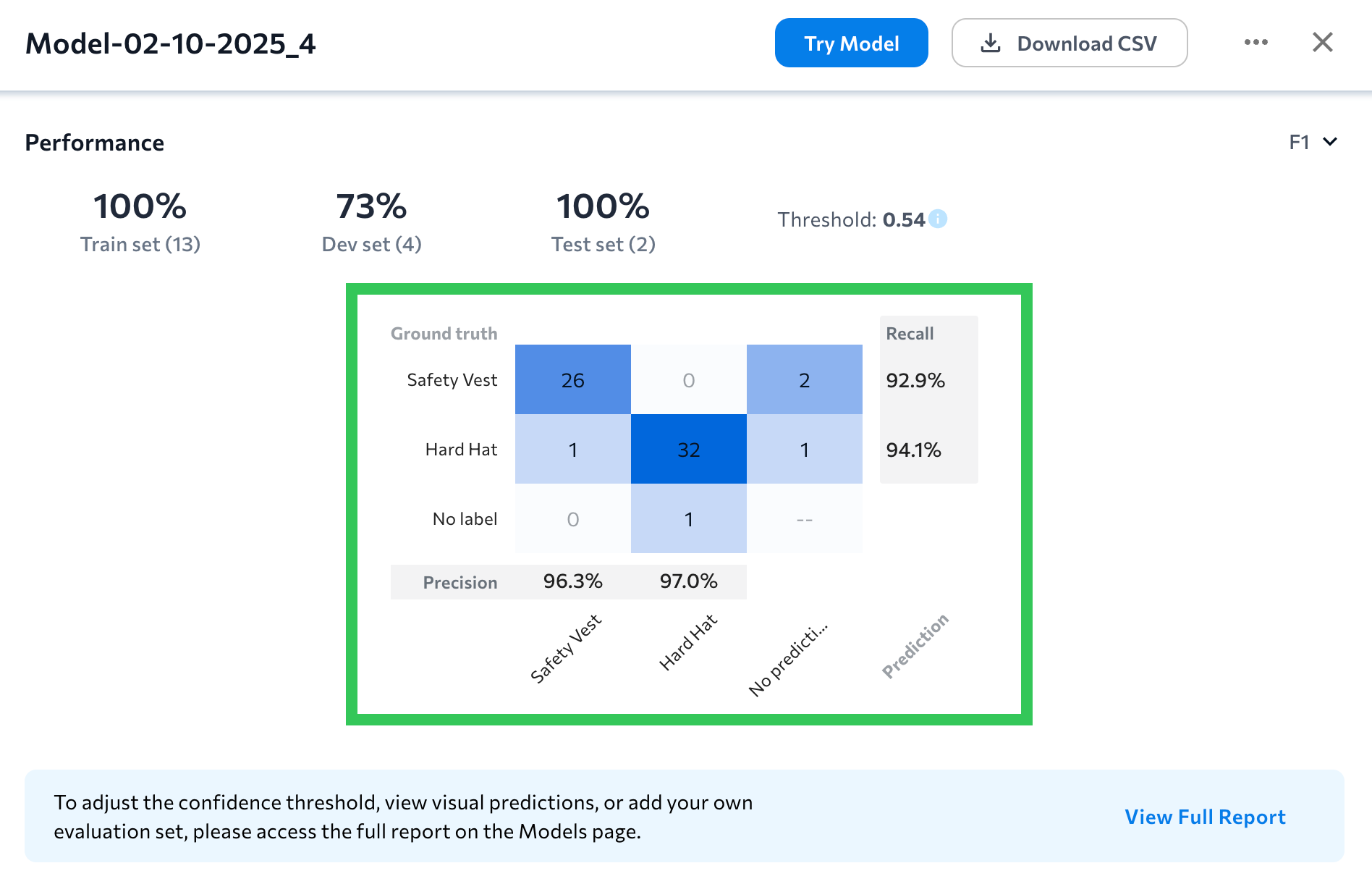
Where can I see these changes?
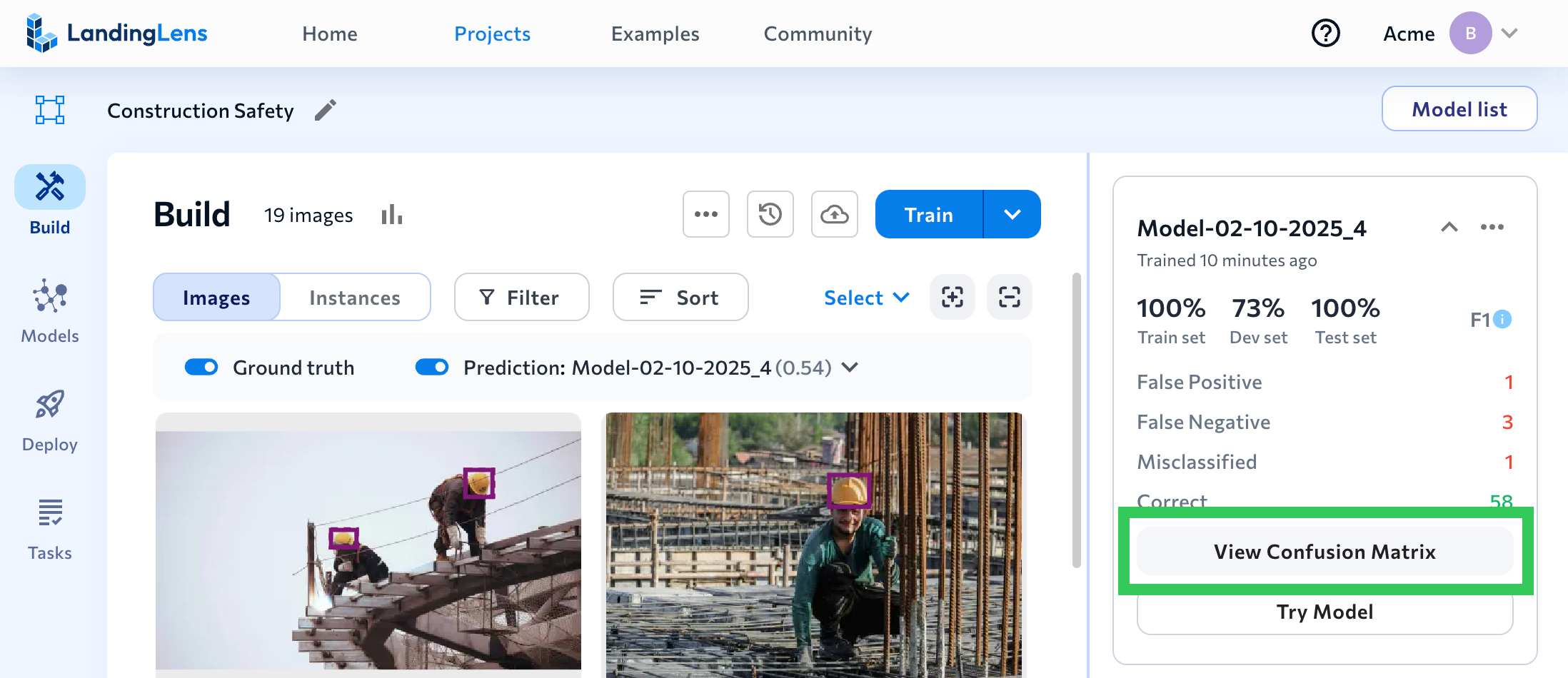
All areas that show model performance now include the updated confusion matrix, including:- Build tab: Click View Confusion Matrix on a model tile to see the confusion matrix for the dataset that the model was trained on.
- The Performance Report shows a confusion matrix for the selected evaluation set.
- The Compare Models tool shows side-by-side confusion matrices to show how each model performed on the selected evaluation set.
Learn How to Analyze Models
Watch the following video to learn how to use the updated confusion matrix and other tools to analyze model performance.Sync Up to 10,000 Images
When using the Sync Snowflake Data workflow, you can now load up to 10,000 images from a Snowflake stage into a LandingLens project. Previously, the maximum was 1,000 images. For more information about loading images from stages, go to Load Images from Snowflake into LandingLens.January 30, 2025: LandingLens on Snowflake v1_2.47
LandingLens on Snowflake, previously only available in AWS regions, is now available in Azure regions. This expansion allows you to deploy LandingLens in your preferred region. All LandingLens features are the same across all regions. For detailed information about region support for Snowflake Native Apps, go to the Snowflake documentation.January 15, 2025: LandingLens on Snowflake v1_2.45
In LandingLens on Snowflake v1_2.45, you can now create and restore backup versions of the application! Having backup versions of the LandingLens application can be helpful if data is deleted that needs to be later recovered. For example, if a project in LandingLens is accidentally deleted, you can restore an earlier version of LandingLens that has that project. Additionally, if the LandingLens app is deleted, you can restore a backed up version. To get the full details, go to Back Up and Restore LandingLens on Snowflake.December 2, 2024: LandingLens on Snowflake v1_2.42
In LandingLens on Snowflake v1_2.42, we’ve expanded the ability to manage CPU resources used by the app. When configuring the Installation Size setting, which controls the number of CPU machines and service replicas used by the LandingLens app, you now have a new option: xlarge. This is now the largest option, and is 5x times the size of the smallest option (POC). Additionally, the default Installation Size option is now medium. This does not change the selected Installation Size for any current instances of LandingLens. For more information about how to manage CPU and GPU resources, go to Snowflake Credit Management.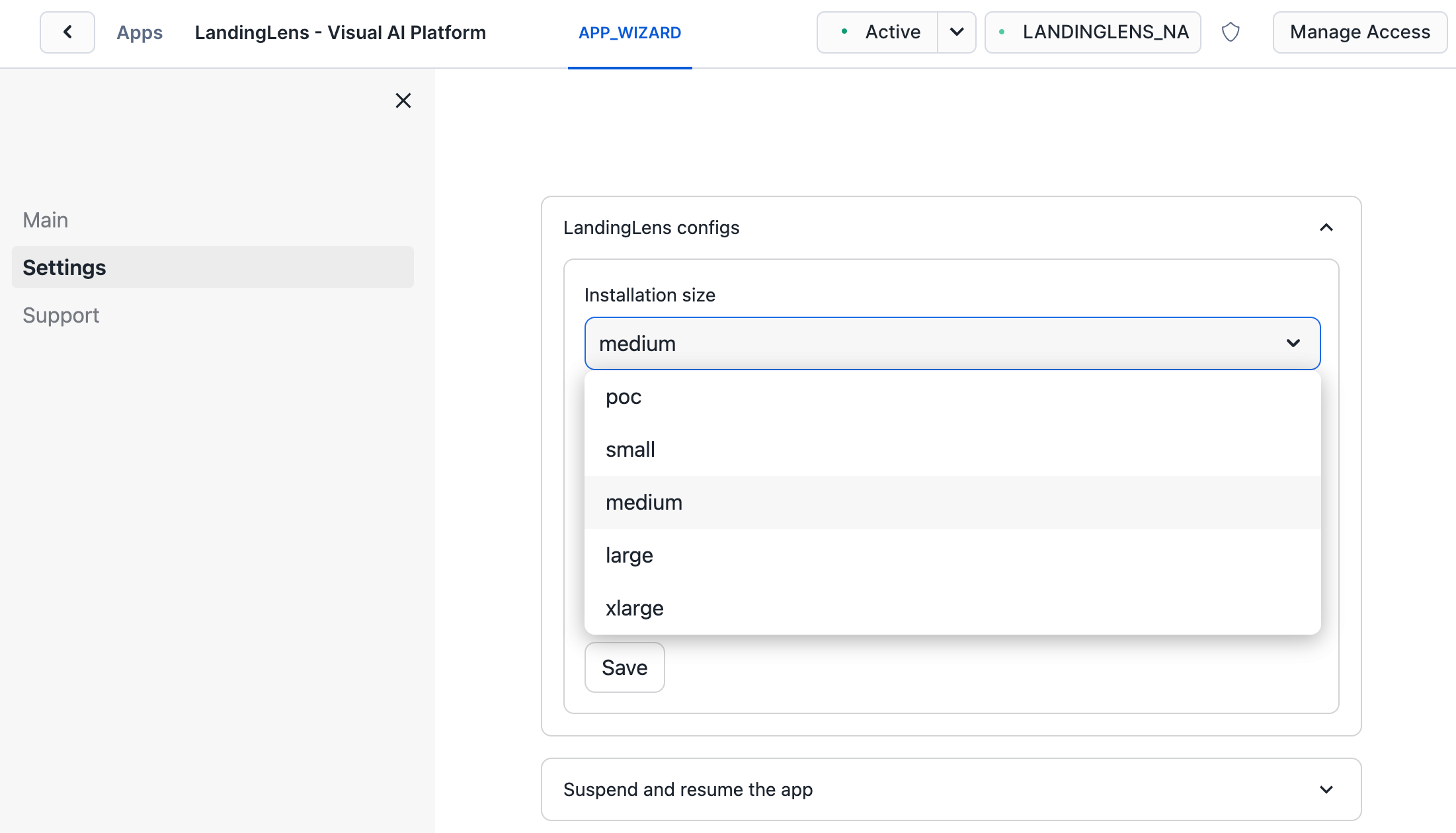
Upgrading Is Now Easier
When a new version of LandingLens on Snowflake is available, a button now displays in the top right corner of the app with this text: “Upgrade to [current_version].” Click the button to launch the app installer in Snowsight. For more information about how to upgrade the app, go to Install and Upgrade LandingLens on Snowflake.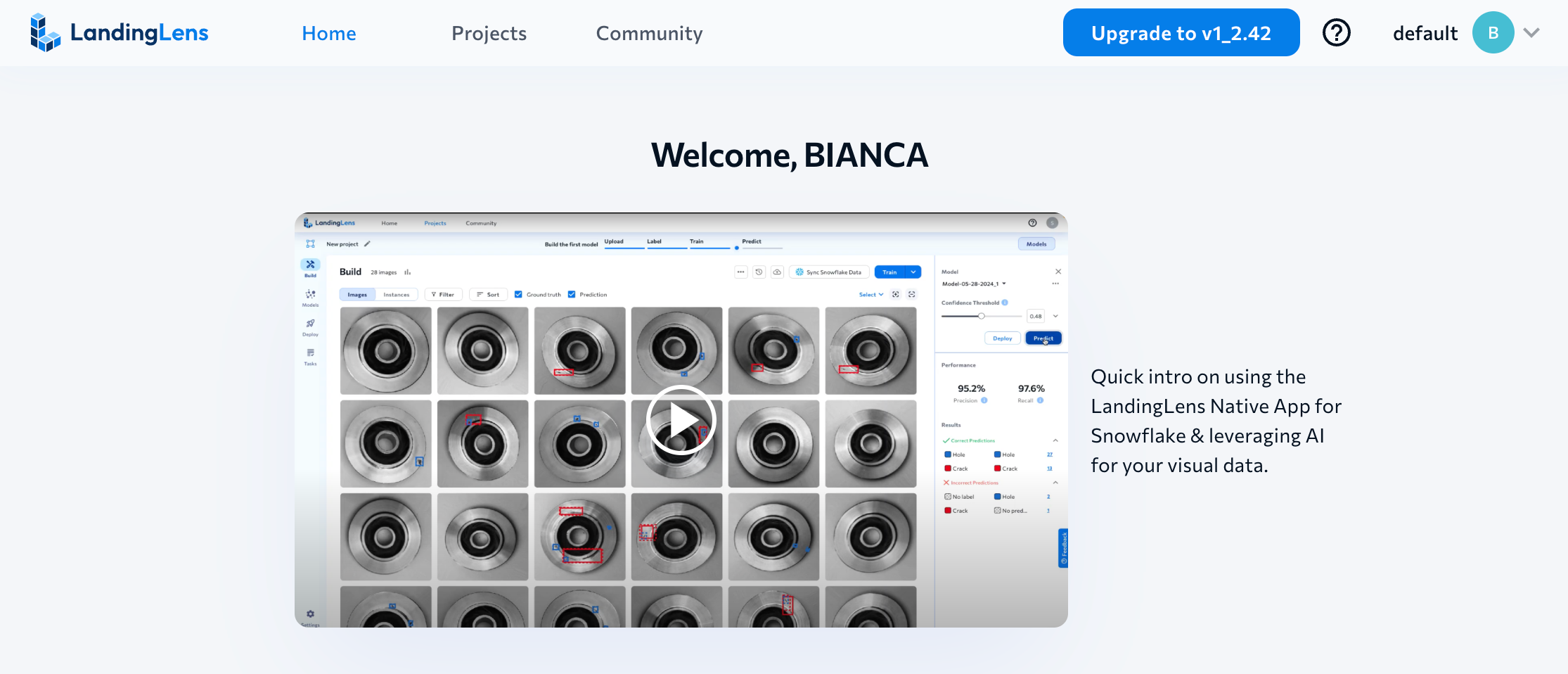
November 21, 2024: LandingLens on Snowflake v1_2.40
LandingLens on Snowflake v1_2.40 includes these updates:- End Model Training
- More Ways to Manage CPU and GPU Resources
- TIF/TIFF upload support
- Dataset snapshot CSVs now include tags
End Model Training
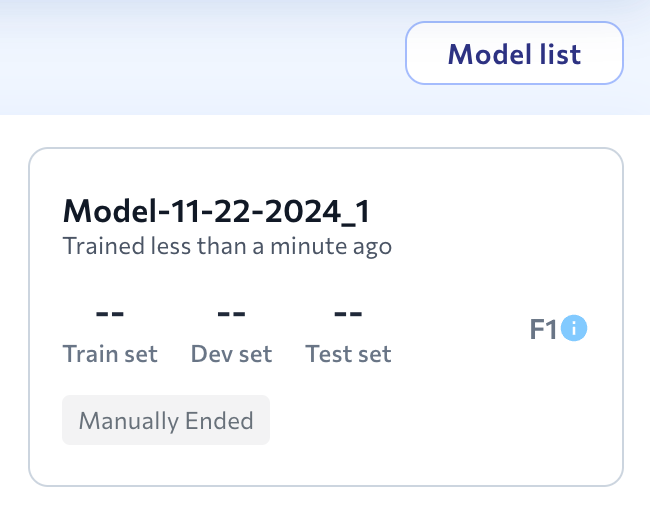
You can now end model training early. To do this, click End Training Now on the model tile. For example, if you click Train and then realize you need to annotate more images, you can click End Training Now, label those images, and then start a new training job. For details about model training, including how to end training early, go to Model Training.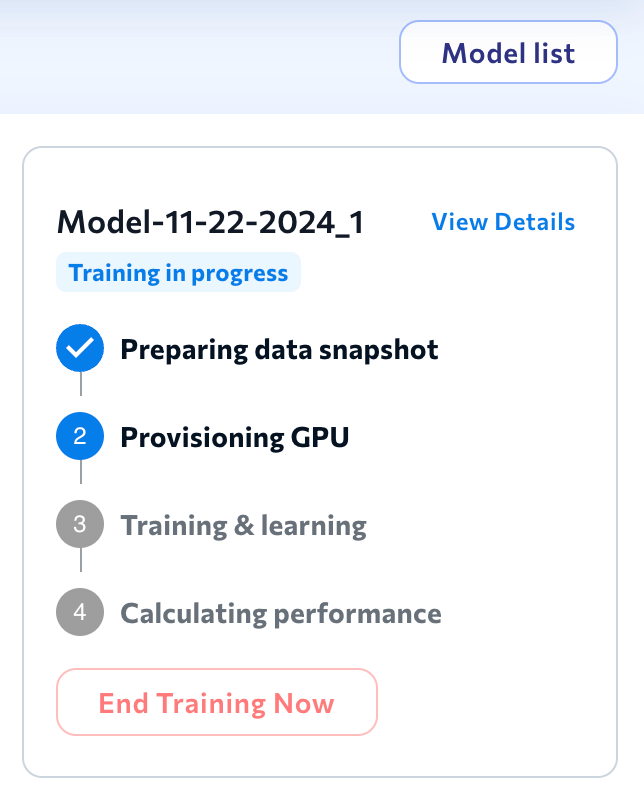
More Ways to Manage CPU and GPU Resources
We’ve added more ways to manage the CPU and GPU resources used by LandingLens on Snowflake. In addition to enabling Auto-Suspend GPU, you can now select the Installation Size (the number of CPU machines and replicas used by the app) and the number of GPU training resources. For full details about how to manage CPU and GPU resources, go to Snowflake Credit Management.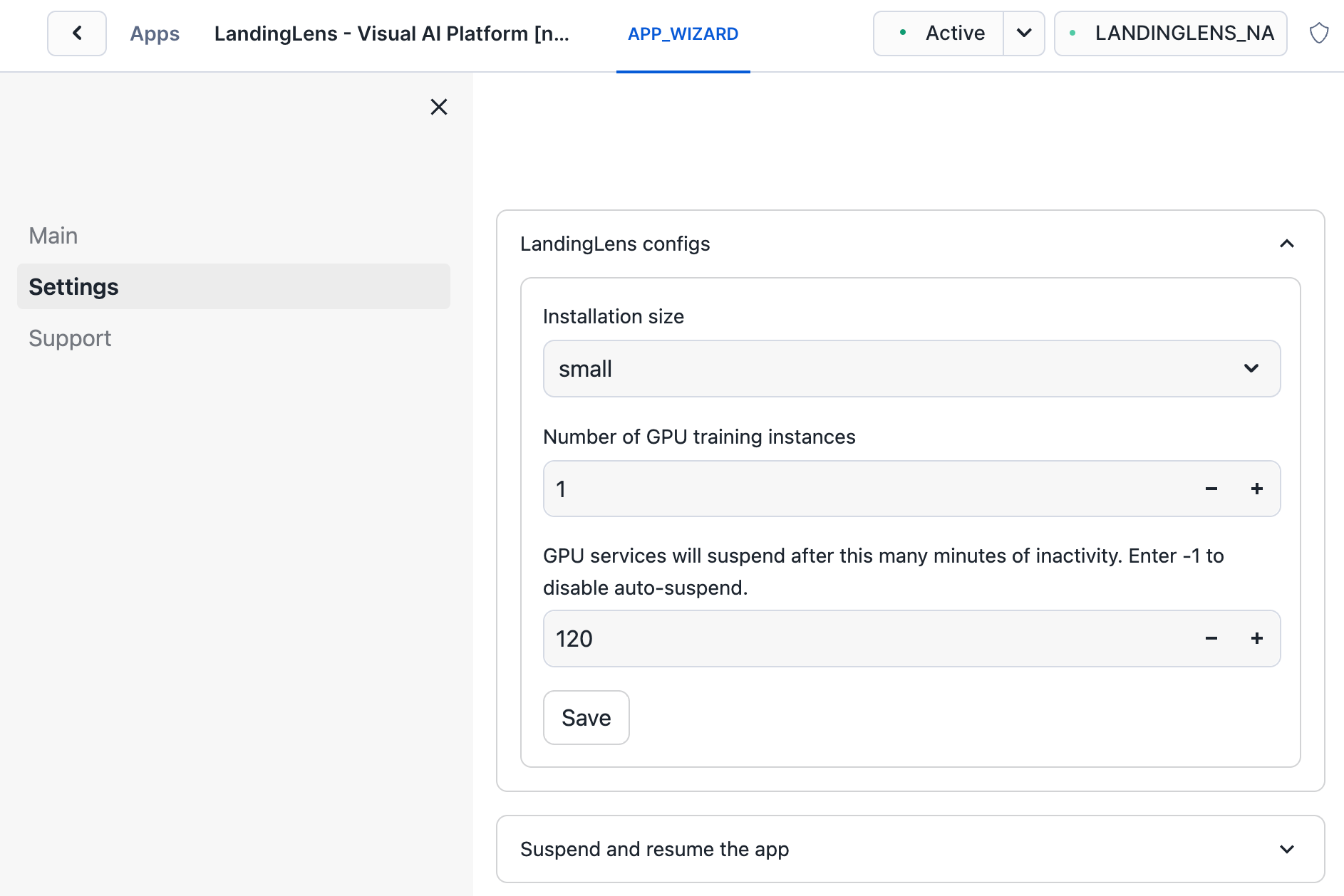
Upload TIF/TIFF Files to Projects
TIF/TIFF files can now be uploaded to projects in LandingLens on Snowflake. However, LandingLens models cannot run inference on TIF/TIFF files. To learn more about image support, including supported image files and maximum image size, go to Upload Images.Dataset Snapshot CSVs Now Have Image Tags
When you download a CSV for a dataset snapshot, the CSV now lists any tags applied to the images. To learn more about dataset snapshots, go to Dataset Snapshots.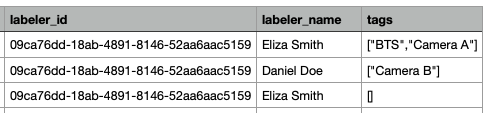
October 31, 2024: Download CSV of Model Performance
You can now download a CSV of model performance for select images in your Object Detection or Classification dataset. The prediction data in the CSV will be based on the selected model and confidence threshold (if you manually change the threshold, that threshold is used in the CSV). For detailed instruction on how to download the CSV, go to Model Reports.