

| LandingLens | LandingLens on Snowflake |
|---|---|
- Image Processing: LandingEdge runs the script before the image goes through inference.
- Results Processing: LandingEdge runs the script after the images goes through inference.
Set Up Custom Processing
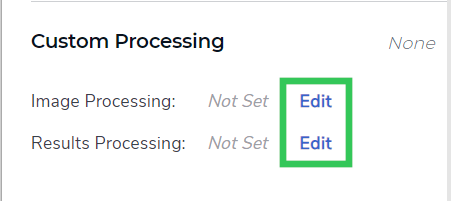
To add custom scripts to LandingEdge:- Click Edit next to Image Processing or Results Processing.
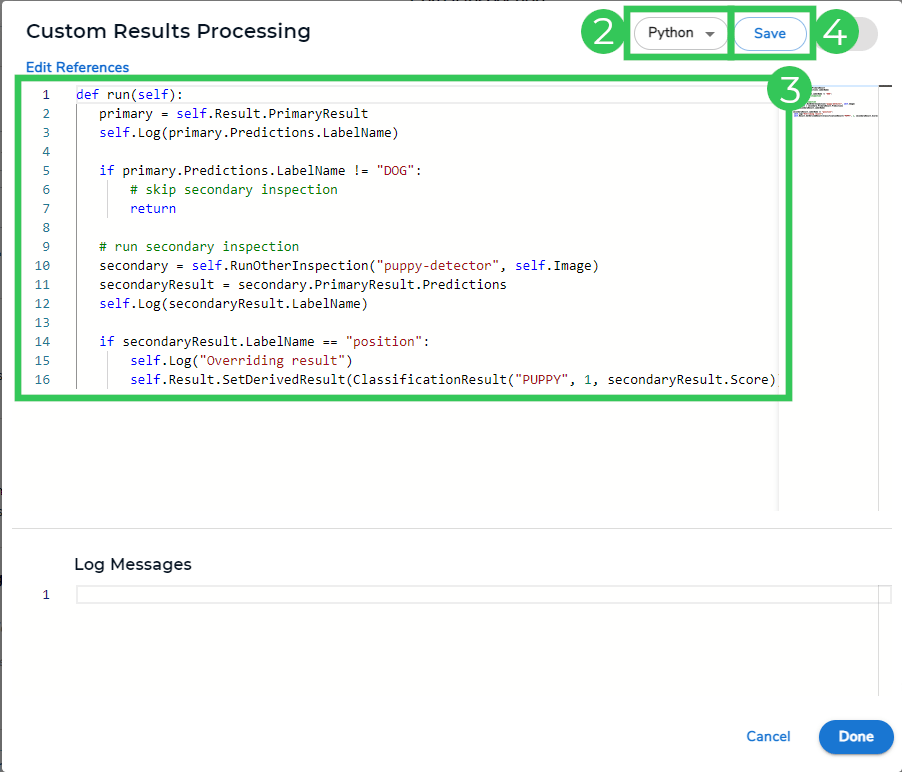
- Select C# or Python from the drop-down menu, depending on the type of script you have.
- Replace the instructions in the large field with your custom script.
- Click Save.
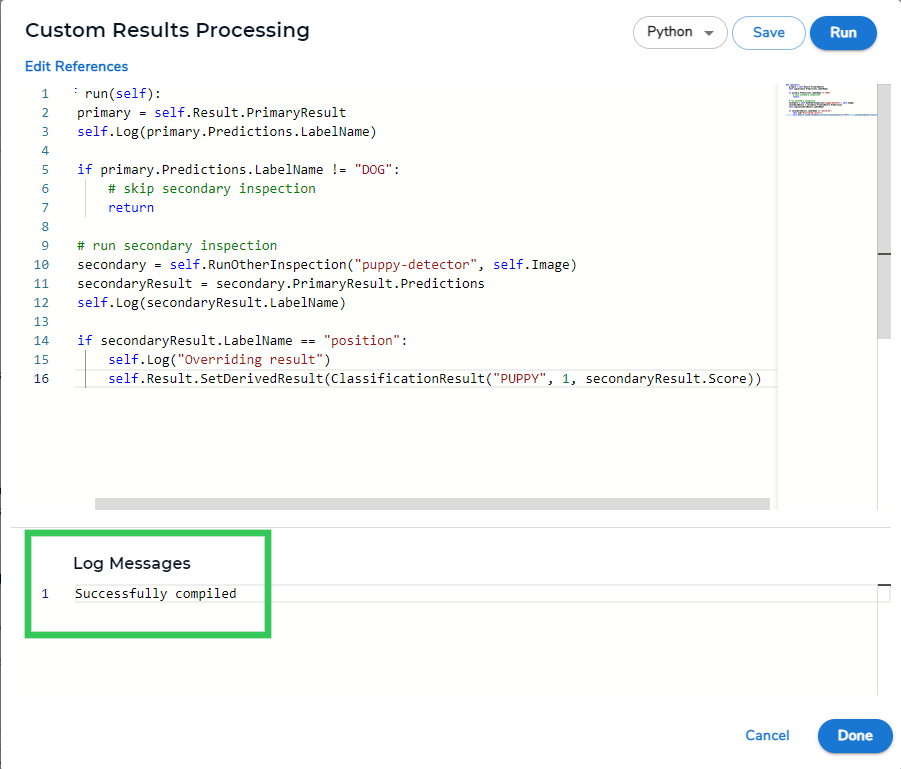
- The Log Messages field displays a success message if the script is accepted. If you received an error in this field, please check your script and try again.
- Click Done.
Run Images Through Two Inspection Points
- Script type: Results processing
- Model type: Classification
- Language: Python
Use Case for Running Images through Two Inspection Points
Let’s say you work for an automatic dog door company, and you want your model to detect dogs and puppies so that when a dog or puppy approaches the dog door, the door will automatically open. Your model has these classes: Not Dog, Dog, and Puppy. You can use the “daisy-chaining” script below to solve this use case. This is how the script works:- The image goes through the first Inspection Point.
- The model in that Inspection Point predicts a class.- If the prediction is “Not Dog”, the image is not sent to a Second Inspection Point.
- If the prediction is “Dog”, the image is sent to a second Inspection Point called “puppy-inspection” to check if the dog is a puppy.- If the second Inspection Point also predicts a dog, the class stays as “Dog”.
- If the second Inspection Point predicts a puppy, the class is overridden to “Puppy”.
Override the Class Name, Confidence Score, and Index
- Script type: Results processing
- Model type: Classification
- Language: Python
Add Metadata to Images
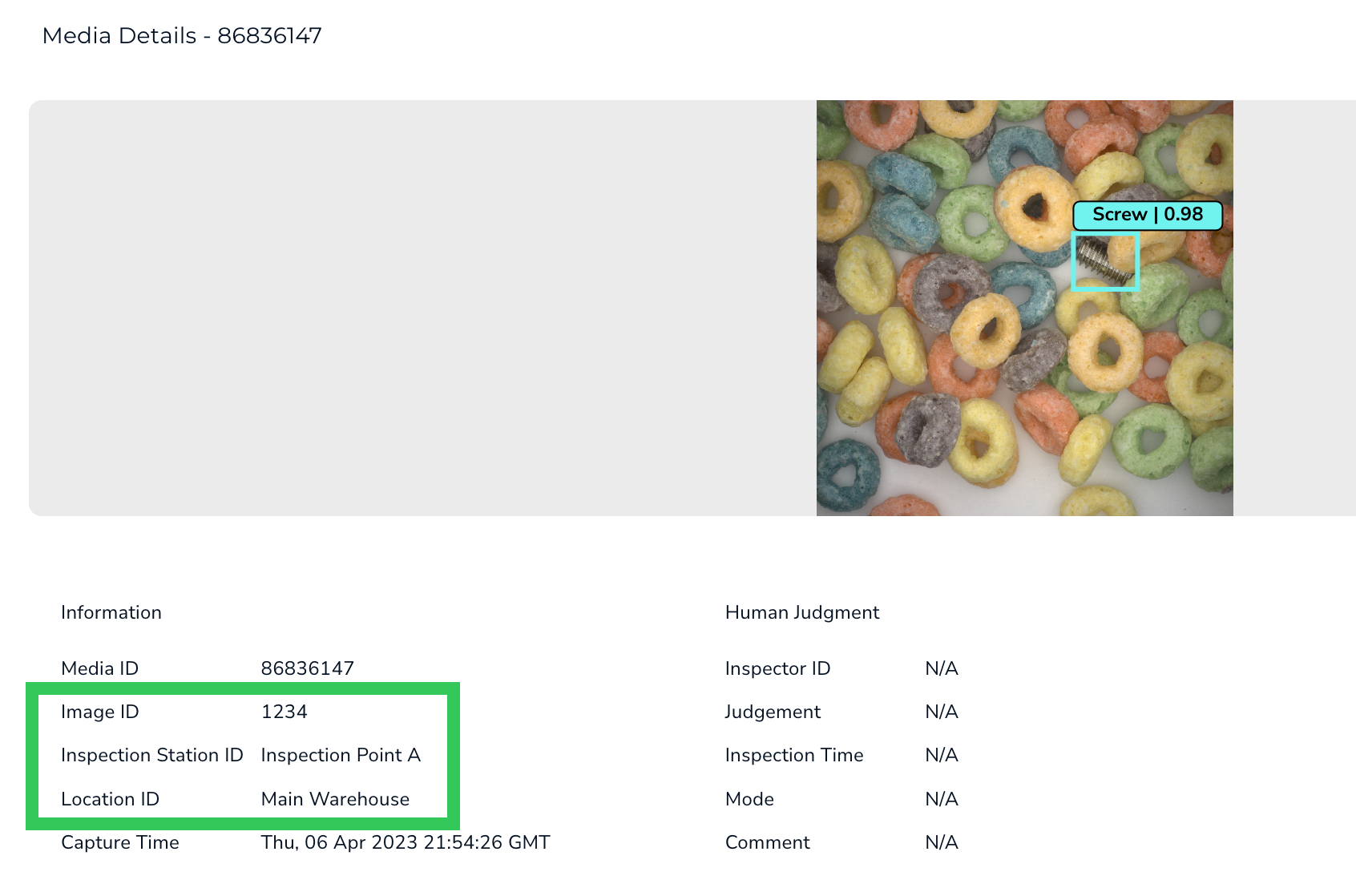
The ability to add metadata to images through scripting is available in LandingEdge v2.3.93 and later.
- Script type: Results processing
- Model type: Any
- Language: Python
- Image ID
- Inspection Station ID
- Location ID
Skip Saving Certain Images
The ability to skip saving certain images through scripting is available in LandingEdge v2.4.89 and later.
- Script type: Results processing
- Model type: Any
- Language: C#
Read Out Raw Scores from a Classification Model
The ability to read out raw scores through scripting is available in LandingEdge v2.5.10 and later.
- Script type: Results processing
- Model type: Classification
- Language: C#
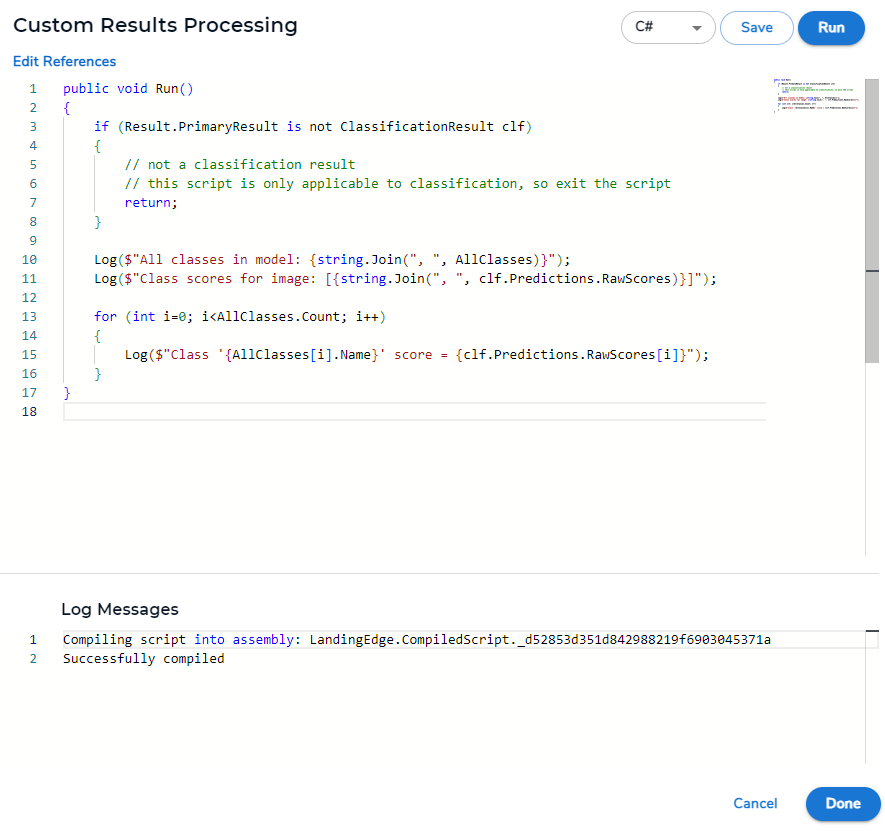
AllClasses, which is a Dictionary with the class index as the key. The AllClasses Dictionary provides access to all names and indices of all classes in the model, so class information can be retrieved with AllClasses[index].
Here is the sample C# post-processing script for reading out the raw scores from a Classification model:
Return Class Name for Object Detection Models
- Script type: Results processing
- Model type: Object Detection
- Language: Python and C#
- First, determine which box (the bounding box of the prediction around the object) has the highest confidence score.
- Then, return the class name of the box with the highest confidence score.