> ## Documentation Index
> Fetch the complete documentation index at: https://landinglens.docs.landing.ai/llms.txt
> Use this file to discover all available pages before exploring further.
# View Member Statuses
export const vp = 'Visual Prompting';
export const smartLabel = 'Smart Labeling';
export const productLL = 'LandingLens';
export const mi = 'Mobile Inference';
export const llsf = 'LandingLens on Snowflake';
export const companyName = 'LandingAI';
*This article applies to these versions of LandingLens:*
| LandingLens |
LandingLens on Snowflake |
| ✓ |
✖ |
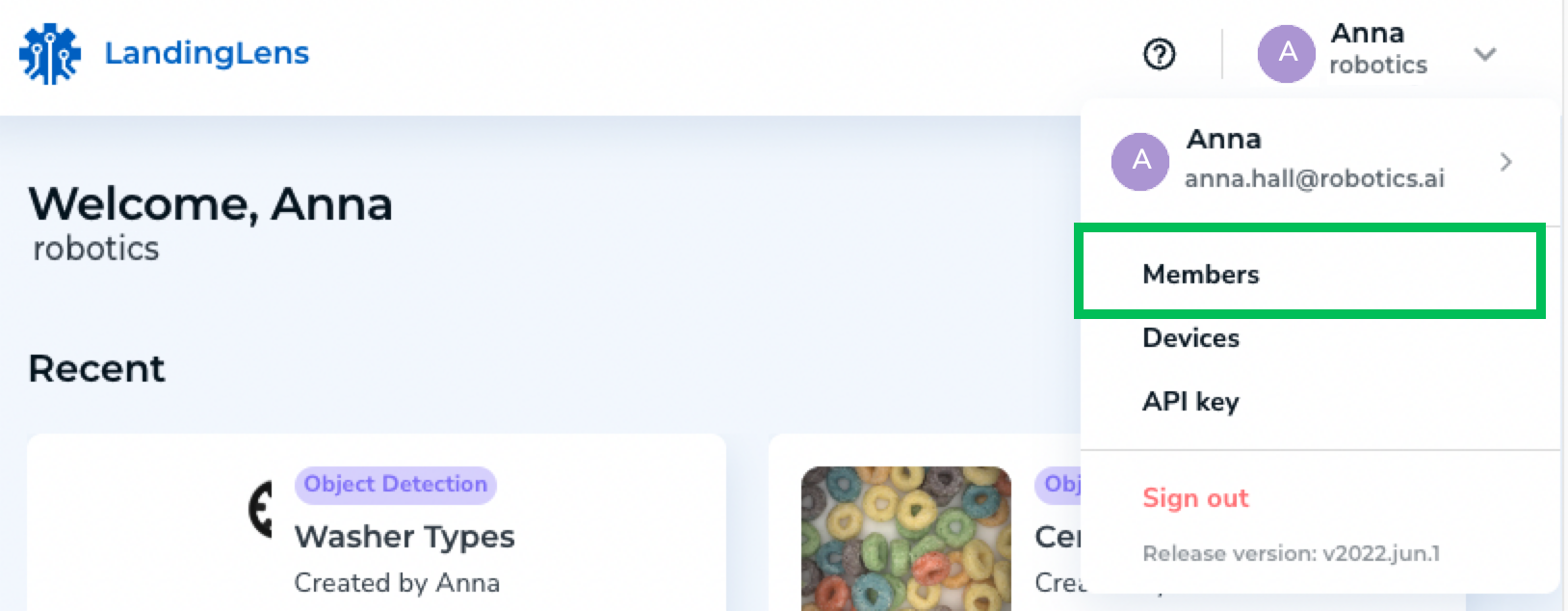
Members are managed on the **Members** page. To access this page, click the **User Menu** and select **Members** from the drop-down menu.
 ## Member Account Statuses
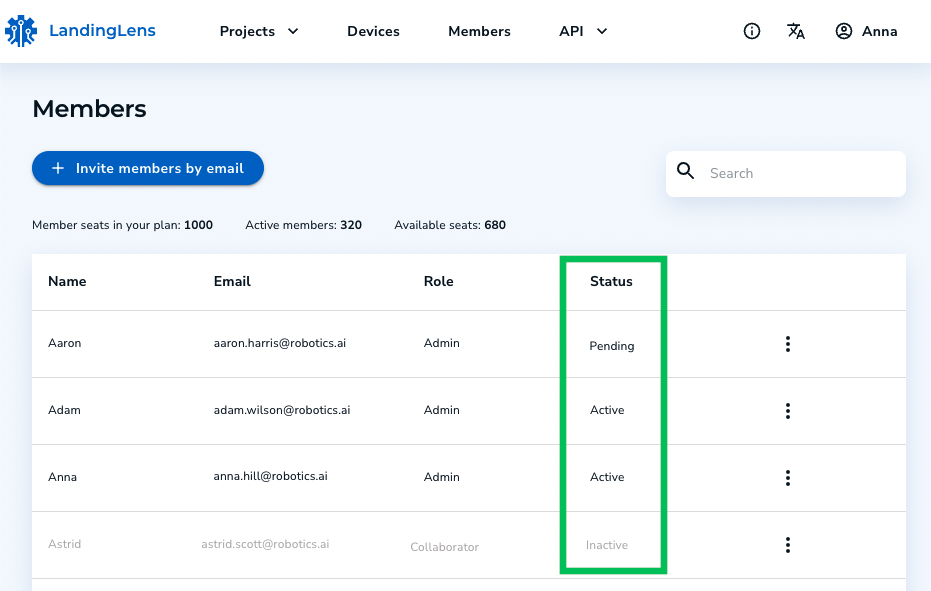
Each member account has a status that shows the state of the account. These are the different statuses:
* **Active**: The account has been registered, and the user can access LandingLens.
* **Pending**: The account has not yet been registered, and the user cannot access LandingLens. The user must complete their registration to access LandingLens.
* **Inactive**: The account has been deactivated, and the user cannot access LandingLens. Their account must be [reactivated](./deactivate-member-accounts) to access LandingLens again.
## Member Account Statuses
Each member account has a status that shows the state of the account. These are the different statuses:
* **Active**: The account has been registered, and the user can access LandingLens.
* **Pending**: The account has not yet been registered, and the user cannot access LandingLens. The user must complete their registration to access LandingLens.
* **Inactive**: The account has been deactivated, and the user cannot access LandingLens. Their account must be [reactivated](./deactivate-member-accounts) to access LandingLens again.