> ## Documentation Index
> Fetch the complete documentation index at: https://landinglens.docs.landing.ai/llms.txt
> Use this file to discover all available pages before exploring further.
# September 2022 Release Notes
export const vp = 'Visual Prompting';
export const smartLabel = 'Smart Labeling';
export const productLL = 'LandingLens';
export const mi = 'Mobile Inference';
export const llsf = 'LandingLens on Snowflake';
export const companyName = 'LandingAI';
## LandingLens Announcement
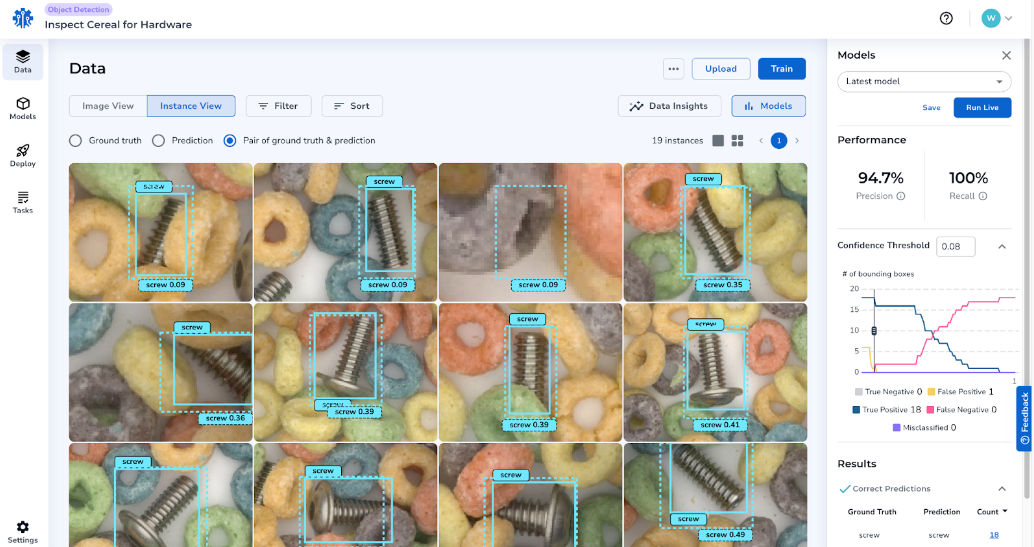
**On 9/28, LandingLens will be updated and you will see a new user interface (UI).** We've updated the UI to be user-friendly and intuitive for Project and Model creation workflows. With this update, you will be able to easily access Data Insights and Model Training results.
It is important to note that:
* All Projects will seamlessly be updated to the new UI.
* All existing features will continue to be available.
 ## New Features
**LandingLens**
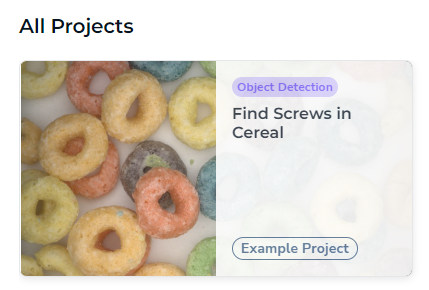
* An **Example Project** has been added to your instance of LandingLens. The Example Project is a pre-loaded, view-only Project to help you get started. It includes a step-by-step tutorial on how to analyze a trained Model. It is recommended to complete this tutorial if you are new to LandingLens.
## New Features
**LandingLens**
* An **Example Project** has been added to your instance of LandingLens. The Example Project is a pre-loaded, view-only Project to help you get started. It includes a step-by-step tutorial on how to analyze a trained Model. It is recommended to complete this tutorial if you are new to LandingLens.
 **LandingEdge**
* LandingEdge now offers a self-sign-on and default system certification for easier installation.
## Improvements
**LandingLens**
* LandingLens now automatically runs "Check Label Quality" if:
* You train a Model.
* You iterate at least one label and retrain a Model.
**LandingEdge**
* LandingEdge now offers a self-sign-on and default system certification for easier installation.
## Improvements
**LandingLens**
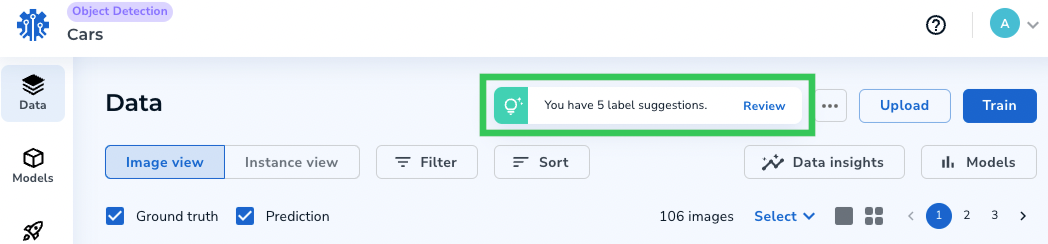
* LandingLens now automatically runs "Check Label Quality" if:
* You train a Model.
* You iterate at least one label and retrain a Model.
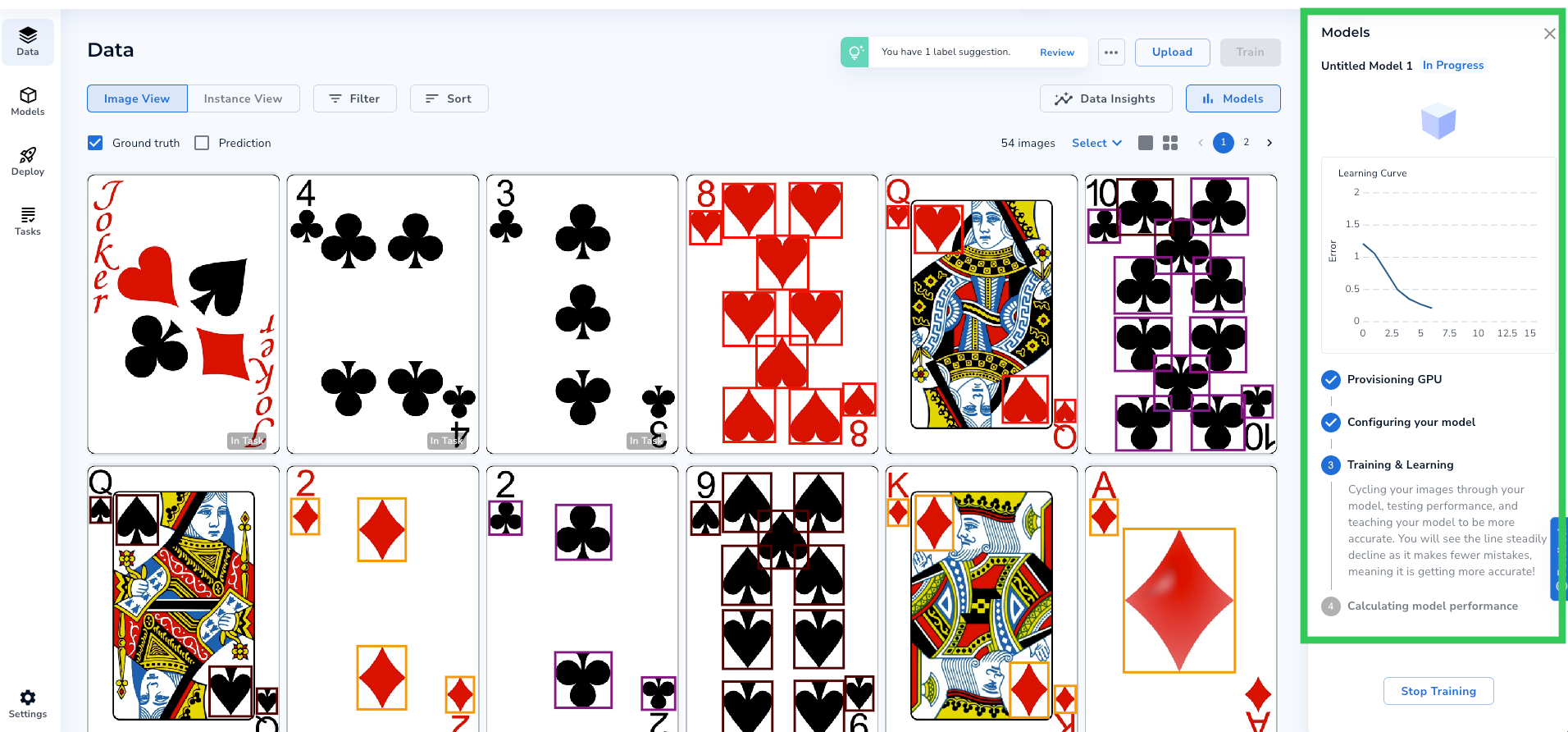
 * LandingLens now shows your Model's training progress in the sidebar. (Only applicable to users with the updated LandingLens UI.)
 **LandingEdge**
* Improved Cloud Inference for Segmentation Models.
* Reduced the LandingEdge installer size.
## Fixes
* Fixed issues with the Run Live functionality, including Historical Data, image collection, and credit reduction. (The credit reduction fix is only relevant to Free Trial users with the updated LandingLens UI.)
* Fixed an issue where images didn't display according to the applied filters in LandingLens.
* Fixed an issue where clicking "Stop Training" resulted in an error, and the Model did not stop training.
* Fixed an issue where invited Members didn't display in the Member list unless you refreshed the browser.
* Fixed an issue where users would be logged out when trying to open the Device page.
* Fixed an issue where Predictions didn't display in the Data Browser.
* Fixed an issue where keyboard shortcuts weren't responding.
## User Interface Changes
As previously mentioned, you will see a new and improved user interface (UI) starting on 9/28. This section describes the updates you will see.
### UI Improvements
* Earlier this year, we introduced updated workflows for creating Projects and Models. These simplified workflows were implemented to help you achieve faster Model Training with better accuracy. These workflows will not be affected by the new UI.
* The term "Defect" has been replaced with "[Class](./classes)".
* The "Defect Book" feature is now called "[Label Book](./manage-label-book)".
### Locate Existing Features from the Previous UI
All existing features will continue to be available. This section describes where to locate existing features in the new UI.
#### Manage Classes or Metadata
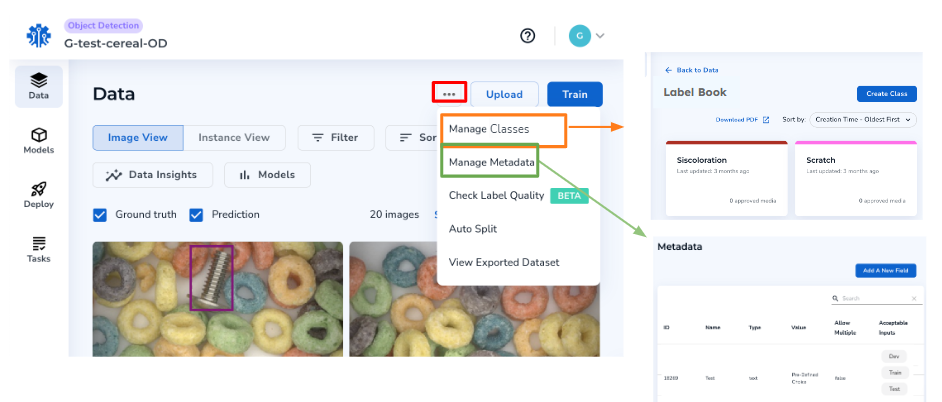
Click the Actions Button (horizontal ellipsis) and click\*\* Manage Classes\*\* or **Manage Metadata** accordingly.
**LandingEdge**
* Improved Cloud Inference for Segmentation Models.
* Reduced the LandingEdge installer size.
## Fixes
* Fixed issues with the Run Live functionality, including Historical Data, image collection, and credit reduction. (The credit reduction fix is only relevant to Free Trial users with the updated LandingLens UI.)
* Fixed an issue where images didn't display according to the applied filters in LandingLens.
* Fixed an issue where clicking "Stop Training" resulted in an error, and the Model did not stop training.
* Fixed an issue where invited Members didn't display in the Member list unless you refreshed the browser.
* Fixed an issue where users would be logged out when trying to open the Device page.
* Fixed an issue where Predictions didn't display in the Data Browser.
* Fixed an issue where keyboard shortcuts weren't responding.
## User Interface Changes
As previously mentioned, you will see a new and improved user interface (UI) starting on 9/28. This section describes the updates you will see.
### UI Improvements
* Earlier this year, we introduced updated workflows for creating Projects and Models. These simplified workflows were implemented to help you achieve faster Model Training with better accuracy. These workflows will not be affected by the new UI.
* The term "Defect" has been replaced with "[Class](./classes)".
* The "Defect Book" feature is now called "[Label Book](./manage-label-book)".
### Locate Existing Features from the Previous UI
All existing features will continue to be available. This section describes where to locate existing features in the new UI.
#### Manage Classes or Metadata
Click the Actions Button (horizontal ellipsis) and click\*\* Manage Classes\*\* or **Manage Metadata** accordingly.
 #### Auto Split
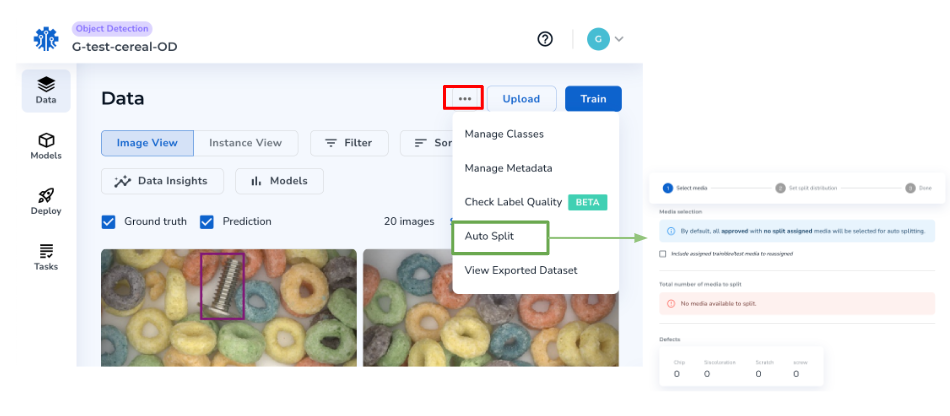
Click the Actions Button (horizontal ellipsis) and click **Auto Split.**
#### Auto Split
Click the Actions Button (horizontal ellipsis) and click **Auto Split.**
 #### Set Splits or Metadata
 #### Create Labeling Tasks for Agreement-Based Labeling
 #### Review Labeling Tasks
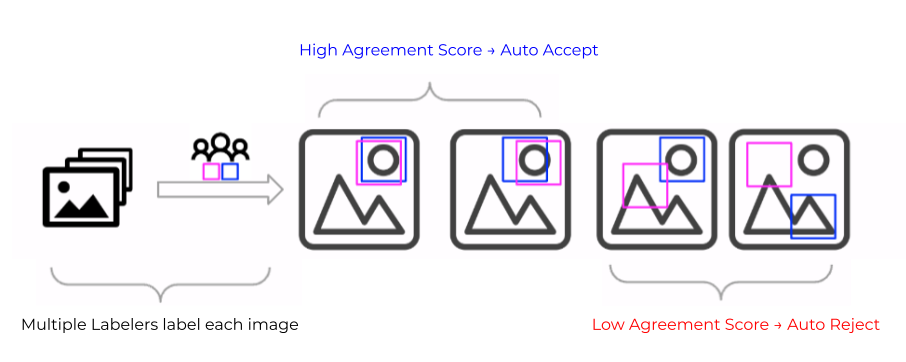
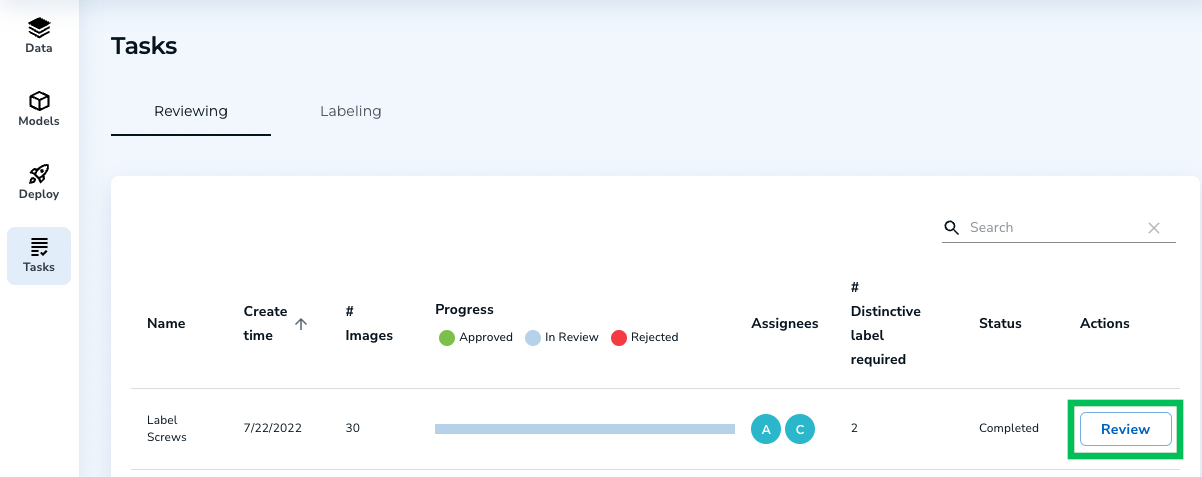 For more information, go [here](./agreement-based-labeling).