> ## Documentation Index
> Fetch the complete documentation index at: https://landinglens.docs.landing.ai/llms.txt
> Use this file to discover all available pages before exploring further.
# October 2022 Release Notes
export const vp = 'Visual Prompting';
export const smartLabel = 'Smart Labeling';
export const productLL = 'LandingLens';
export const mi = 'Mobile Inference';
export const llsf = 'LandingLens on Snowflake';
export const companyName = 'LandingAI';
## What's New
* You used to have to install .NET runtime to use LandingEdge. We threw this requirement out the window, so enjoy the extra \~50MB of space!
* Have internet or network issues when trying to use LandingEdge? Well, then, this improvement is for you! We've removed the upload queue size limitation and added a retry mechanism for deployment. (To see this improvement in action, please uninstall and reinstall LandingEdge. Uploads may take a bit longer, but this is normal! Just keep the Inspection Point running for the uploads to complete.)
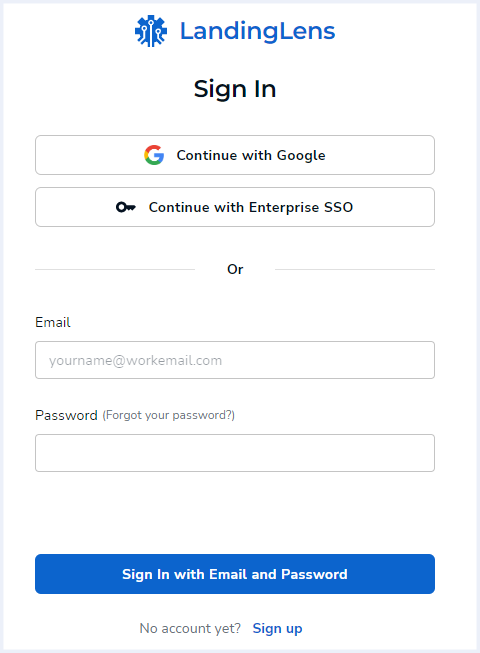
* Your eyes are not deceiving you—we've released a brand new [login page](https://support-landingai.document360.io/v1/docs/landinglens-login)! Plus, you can now quickly sign in with your Google account!
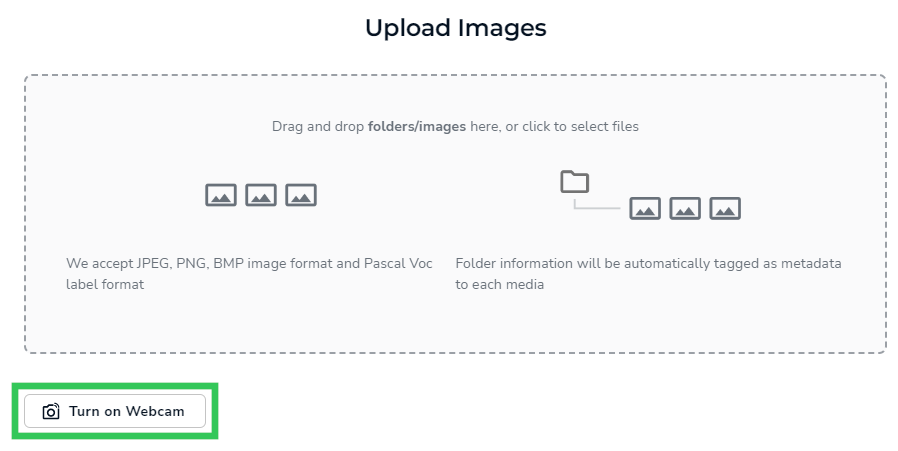
 * You asked, and we listened! You can now use your webcam to upload images to a LandingLens Project. But we didn't stop there! You can also run inference on images from your webcam with the Run Live feature.
 ## Bug Fixes
* Fixed: Bounding boxes used to move around on their own when running inference on a static device. We decided find-the-bounding-box wasn't so fun, so we fixed this.
* Fixed: The user interface was stubborn and wouldn't listen when you changed the browser window size. Don't worry! We had a long talk with the user interface, so it should now respond to any browser window size.
* Fixed: The filters used to disappear on the Historical Data tab. They aren't great at hide-and-seek because we found them pretty quickly and moved them back, so you can now search for any inference image.
* Fixed: Some cURL request endpoints went on vacation, but we've told them to come back. They're now working hard on the Live Prediction tab.
* Fixed: LandingEdge used to check for a valid license when capturing images without a Model. However, this isn't necessary, so we removed this validation.
* Fixed: Before, Anomaly Detection Models weren't working with Run Live or LandingEdge. Not to worry, we fixed this!
* Fixed: To save you time, we fixed LandingEdge, so the application now bundles all Nvidia GPU-related CUDA and cuDNN libraries.
## Bug Fixes
* Fixed: Bounding boxes used to move around on their own when running inference on a static device. We decided find-the-bounding-box wasn't so fun, so we fixed this.
* Fixed: The user interface was stubborn and wouldn't listen when you changed the browser window size. Don't worry! We had a long talk with the user interface, so it should now respond to any browser window size.
* Fixed: The filters used to disappear on the Historical Data tab. They aren't great at hide-and-seek because we found them pretty quickly and moved them back, so you can now search for any inference image.
* Fixed: Some cURL request endpoints went on vacation, but we've told them to come back. They're now working hard on the Live Prediction tab.
* Fixed: LandingEdge used to check for a valid license when capturing images without a Model. However, this isn't necessary, so we removed this validation.
* Fixed: Before, Anomaly Detection Models weren't working with Run Live or LandingEdge. Not to worry, we fixed this!
* Fixed: To save you time, we fixed LandingEdge, so the application now bundles all Nvidia GPU-related CUDA and cuDNN libraries.