> ## Documentation Index
> Fetch the complete documentation index at: https://landinglens.docs.landing.ai/llms.txt
> Use this file to discover all available pages before exploring further.
# Heatmaps
export const vp = 'Visual Prompting';
export const smartLabel = 'Smart Labeling';
export const productLL = 'LandingLens';
export const mi = 'Mobile Inference';
export const llsf = 'LandingLens on Snowflake';
export const companyName = 'LandingAI';
*This article applies to these versions of LandingLens:*
LandingLens
LandingLens on Snowflake
✓
✓
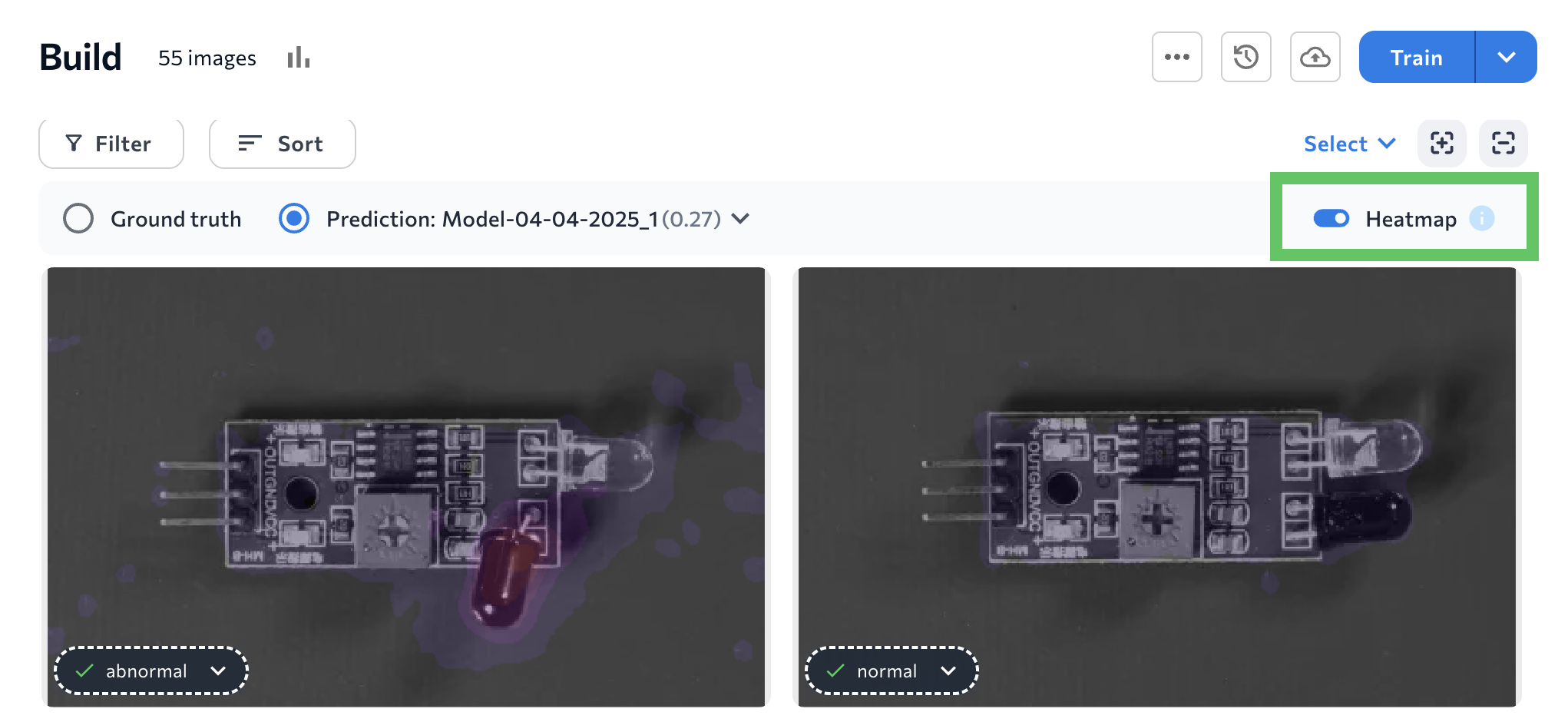
After training a Classification or Anomaly Detection model, turn on the **Heatmap** setting to see what specific characterstics the model used to make its predictions. A heatmap shows which parts of an image contributed most to the model’s decision.
To see heatmaps, turn on the **Heatmap** toggle.
## Heatmap Colors: Classification
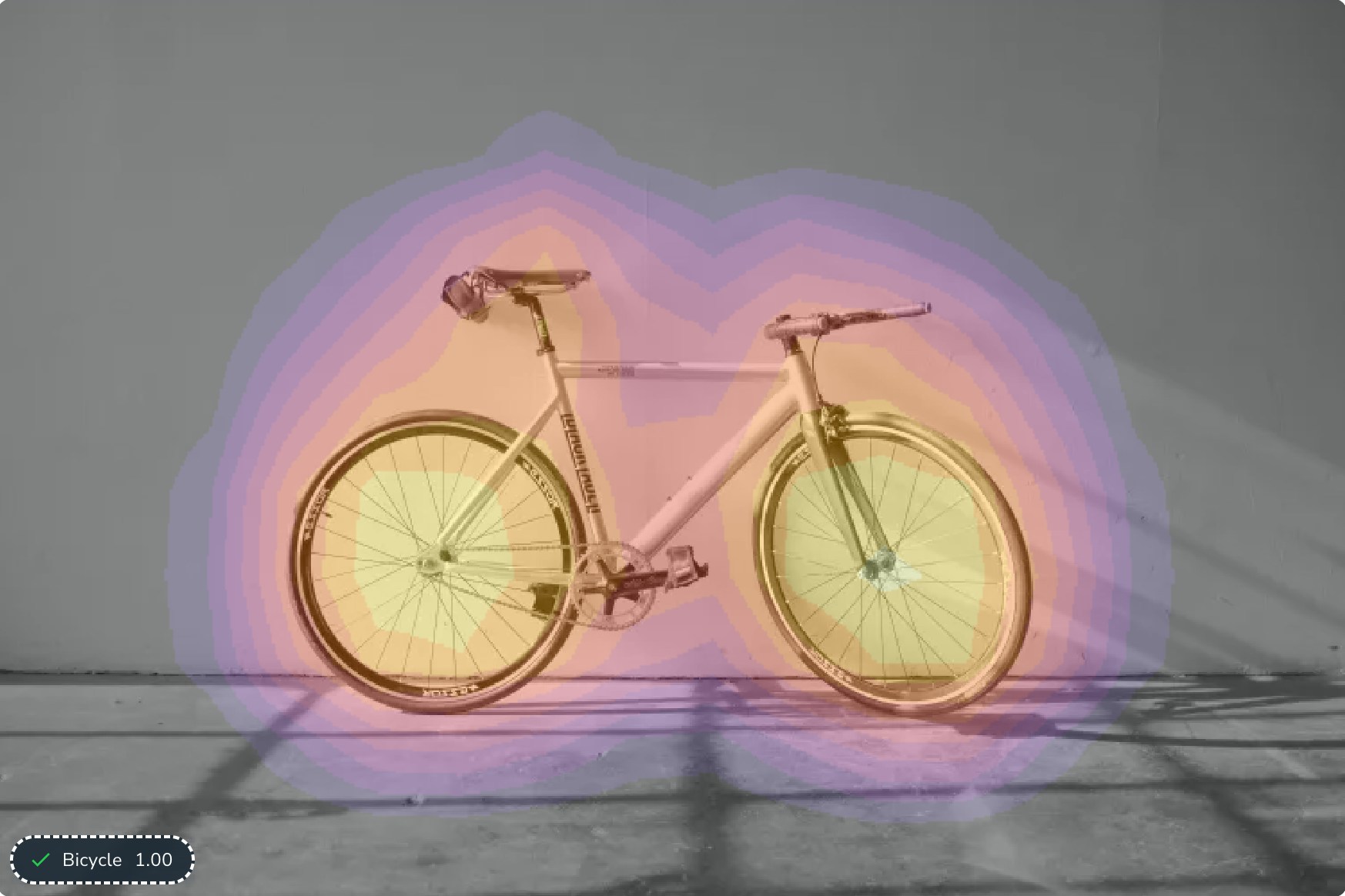
For Classification projects, heatmaps show color intensity to reflect the activation points, which are the specific locations in the heatmap that indicate high activity or interest. The following colors show the degree to which each area contributed to the class being assigned, *from most impactful to least impactful*:
* Yellow: High impact
* Orange
* Purple: Low impact
* Gray: No impact
There are several gradients within each color.
The image below shows a heatmap of a model that detects bicycles. According to the heatmap, the wheels of the bicycle influence the model’s prediction the most.
## Heatmap Colors: Anomaly Detection
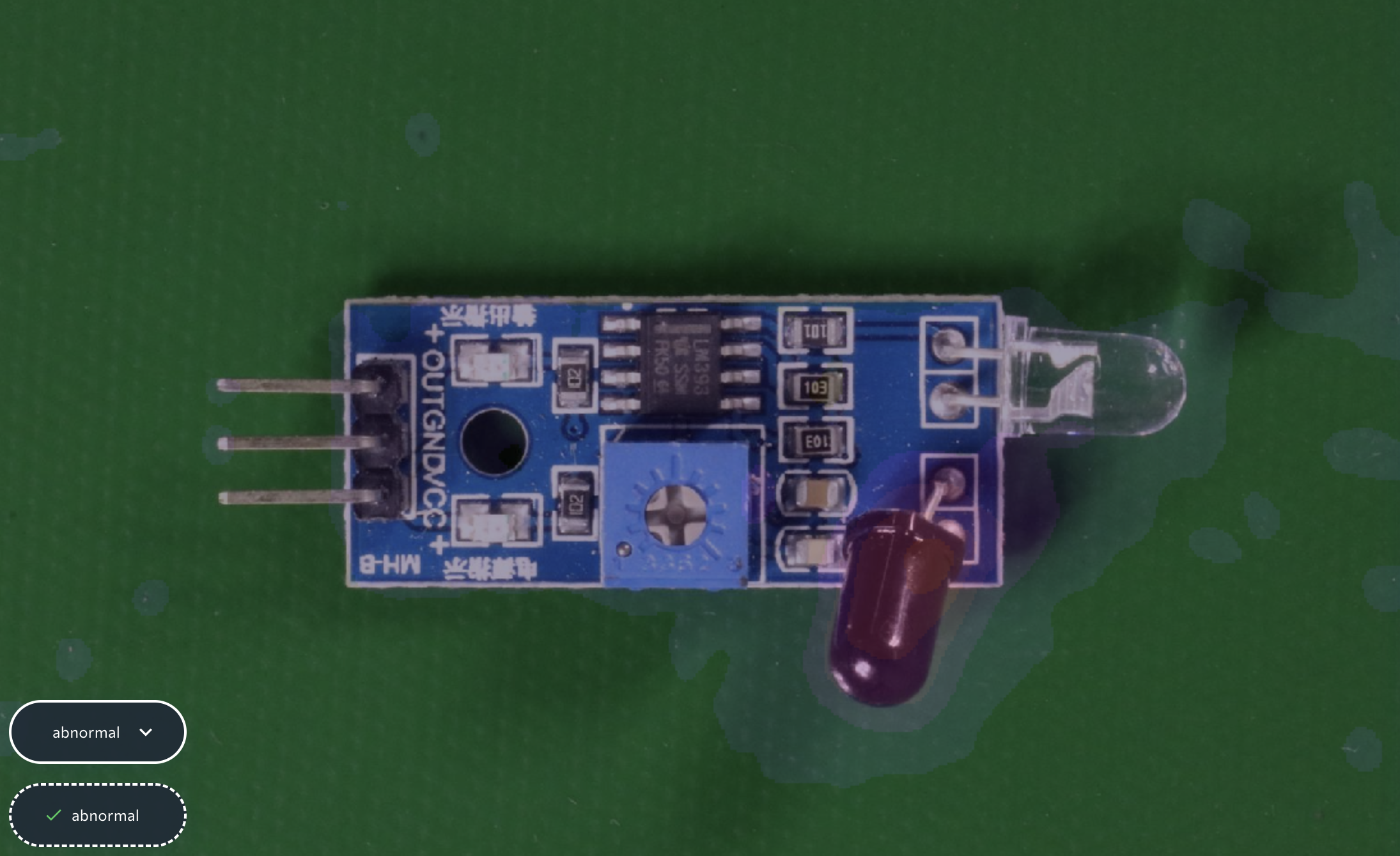
For Anomaly Detection models, the heatmap is a color-coded overlay that indicates which areas the model considers to be “abnormal”.
The level of brightness indicates how “abnormal” the model thinks the area is, with a brighter color meaning the area is more abnormal.
For example, in the image below, the overlay on the bottom knob is bright. This means this knob’s position impacted the model’s “Abnormal” prediction the most. And the model is correct: the knob is pointing down, but it should be pointing right.
## Why Are Heatmaps Only in Classification and Anomaly Detection Projects?
Since Classification and Anomaly Detection models classify images as a whole, it’s important to understand what features in those images prompted a model to make its predictions.
In other project types, you can refer to the model’s labels or predictions, which implicitly indicate the areas the model is focused on. For example, Object Detection has bounding boxes that can provide this information.
## Heatmaps Display Only for Images Included in Training
Heatmaps only display for images included in the dataset at the time of training.
If you add images after training a model, you must train a model again in order to see heatmaps for those images.
 ## Heatmap Colors: Classification
For Classification projects, heatmaps show color intensity to reflect the activation points, which are the specific locations in the heatmap that indicate high activity or interest. The following colors show the degree to which each area contributed to the class being assigned, *from most impactful to least impactful*:
* Yellow: High impact
* Orange
* Purple: Low impact
* Gray: No impact
There are several gradients within each color.
The image below shows a heatmap of a model that detects bicycles. According to the heatmap, the wheels of the bicycle influence the model’s prediction the most.
## Heatmap Colors: Classification
For Classification projects, heatmaps show color intensity to reflect the activation points, which are the specific locations in the heatmap that indicate high activity or interest. The following colors show the degree to which each area contributed to the class being assigned, *from most impactful to least impactful*:
* Yellow: High impact
* Orange
* Purple: Low impact
* Gray: No impact
There are several gradients within each color.
The image below shows a heatmap of a model that detects bicycles. According to the heatmap, the wheels of the bicycle influence the model’s prediction the most.
 ## Heatmap Colors: Anomaly Detection
For Anomaly Detection models, the heatmap is a color-coded overlay that indicates which areas the model considers to be “abnormal”.
The level of brightness indicates how “abnormal” the model thinks the area is, with a brighter color meaning the area is more abnormal.
For example, in the image below, the overlay on the bottom knob is bright. This means this knob’s position impacted the model’s “Abnormal” prediction the most. And the model is correct: the knob is pointing down, but it should be pointing right.
## Heatmap Colors: Anomaly Detection
For Anomaly Detection models, the heatmap is a color-coded overlay that indicates which areas the model considers to be “abnormal”.
The level of brightness indicates how “abnormal” the model thinks the area is, with a brighter color meaning the area is more abnormal.
For example, in the image below, the overlay on the bottom knob is bright. This means this knob’s position impacted the model’s “Abnormal” prediction the most. And the model is correct: the knob is pointing down, but it should be pointing right.
 ## Why Are Heatmaps Only in Classification and Anomaly Detection Projects?
Since Classification and Anomaly Detection models classify images as a whole, it’s important to understand what features in those images prompted a model to make its predictions.
In other project types, you can refer to the model’s labels or predictions, which implicitly indicate the areas the model is focused on. For example, Object Detection has bounding boxes that can provide this information.
## Heatmaps Display Only for Images Included in Training
Heatmaps only display for images included in the dataset at the time of training.
If you add images after training a model, you must train a model again in order to see heatmaps for those images.
## Why Are Heatmaps Only in Classification and Anomaly Detection Projects?
Since Classification and Anomaly Detection models classify images as a whole, it’s important to understand what features in those images prompted a model to make its predictions.
In other project types, you can refer to the model’s labels or predictions, which implicitly indicate the areas the model is focused on. For example, Object Detection has bounding boxes that can provide this information.
## Heatmaps Display Only for Images Included in Training
Heatmaps only display for images included in the dataset at the time of training.
If you add images after training a model, you must train a model again in order to see heatmaps for those images.